


Network & Ethernet Cable Crimping: Tools, Techniques, and Setup Tips
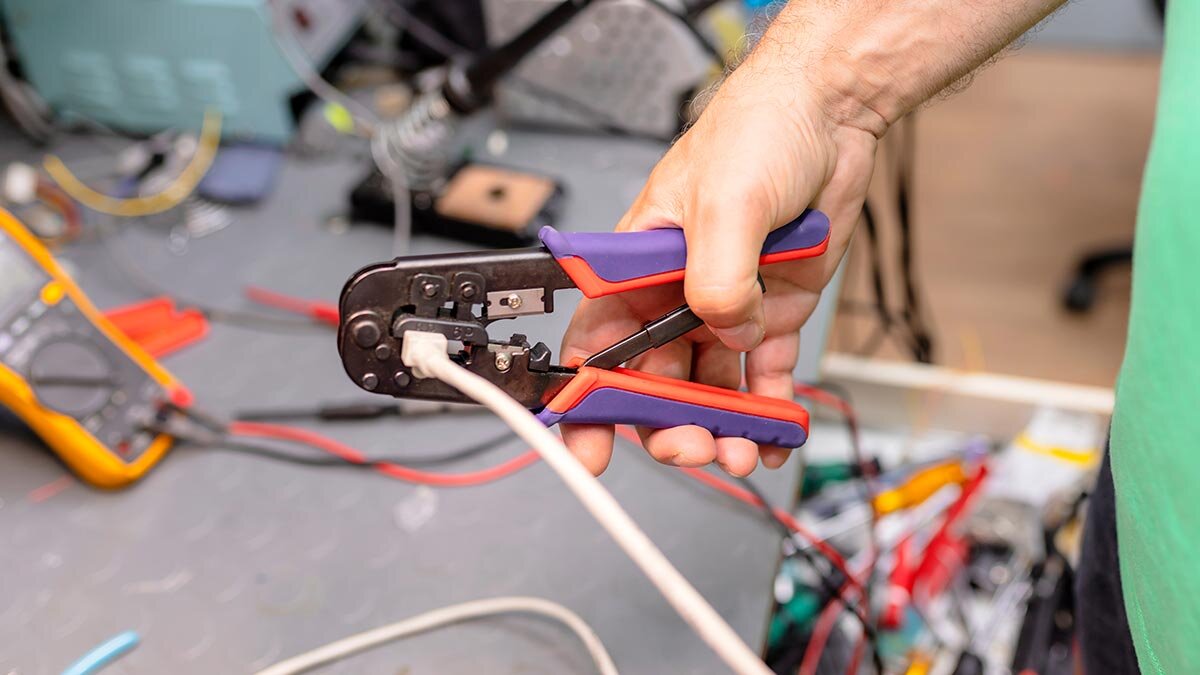
In structured cabling, clean terminations support reliable network performance. Whether you're installing drops in an office or finishing a data rack, having the proper tools and techniques for cable crimping helps ensure stable, dependable connections. This guide can help you select tools that match your job and create crimped connections that last.
What Is Network Cable Crimping?
Network cable crimping refers to attaching connectors—usually RJ45, RJ11, or RJ22—to the ends of twisted-pair cables like Cat5e, Cat6, or Cat6a. The goal is to create a durable, electrically sound termination that maintains signal integrity.
Effective crimping involves more than attaching a plug; it requires aligning copper conductors, preserving wire twists, and producing connections that withstand wear, movement, and temperature swings.
Common Connector Types
RJ45
Used for:
- Cat5e, Cat6, and Cat6a Ethernet cables
- Power over Ethernet (PoE)
- Patch cables, wall jacks, and switch ports
RJ11
Used in analog voice/data lines and alarm systems. Available in 4- or 6-pin configurations.
RJ22
Smaller form factor, commonly used for telephone handset cords and POS peripherals.
Tip: Some RJ45 tools can crimp RJ11, but compatibility and results may vary. Consider a tool rated for both if you handle multiple connector types.
Ethernet Cable Types You’ll Encounter
Cat5e
Common in office networks, supporting speeds up to 1 Gbps over 100 meters.
Cat6
Handles up to 10 Gbps on shorter runs (up to 55 meters), with stricter twist and shielding specs.
Cat6a and Higher
Built for high-performance installs like data centers and AV over IP. Requires shielded connectors and precise terminations.
Note: Higher-spec cables require greater crimping accuracy and compatible shielded components.
Crimping Tools: What Your Crew Needs
Standard RJ45 Crimpers
These all-in-one tools align, seat, and crimp all 8 pins of an RJ45 connector. Many include built-in cutters and strippers.
- Best for: Patch cables and Cat5e/6 terminations
- Look for: Steel dies, ratcheting mechanisms, and clear release levers
EZ RJ45 Crimp Tools
Designed for pass-through connectors that allow wire ends to extend beyond the plug. The tool trims and crimps in one motion.
- Best for: Quick field terminations and easier training
- Look for: Tools designed specifically for EZ-style plugs
Ratcheting Crimpers
Locks in place until full crimp pressure is applied, promoting uniform results.
- Best for: Structured cabling and repetitive tasks
- Benefit: Helps reduce hand fatigue over long shifts
Combo RJ45/RJ11 Tools
Include dies for both connector types. Helpful when working on mixed voice and data systems. Ensure the tool provides solid crimps for both formats.
When Crimping Goes Wrong
Even skilled techs run into challenges. Common issues include:
- Misaligned wires (from trimming too short or rushing)
- Weak pin contact (from worn dies or low-grade tools)
- Incorrect strip length (too much = signal crosstalk; too little = no contact)
- Over-untwisting wire pairs (degrades Cat6/6a performance)
- Using the wrong connector type (solid vs. stranded cable)
A network might show a connection, but that doesn’t confirm performance. Use a certifier or continuity tester to confirm each cable termination when performance counts.
Compliance and Performance Considerations
Commercial, institutional, and government installs may require:
- TIA/EIA 568 standards compliance (pinouts and performance)
- Crimp strength suitable for PoE (to prevent arcing)
- Shielded connectors and grounding for shielded cable installs
Building these practices into your workflow helps reduce the chance of rework or callbacks, especially for Cat6a or long-distance cabling.
Kits vs. Individual Tools: What's the Right Setup?
Crimping Kits usually include:
- RJ45 crimper
- Cable stripper
- Continuity tester
- Connectors
- Carrying case
Individual Tools may be better for:
- Customizing based on cable/connector specs
- Upgrading to professional-grade tools
- Scaling for multiple team members
For large teams or ongoing installs, it may be more efficient to choose individual, job-specific tools based on cable and connector needs.
Training Your Team to Crimp Consistently
Crimping isn’t complex, but consistency matters. Training should focus on:
- Proper wire prep – maintain twist, strip to spec, avoid nicks
- Connector compatibility – stranded vs. solid, shielded vs. unshielded
- Tool use – full stroke, steady pressure, correct die
- Visual inspection – confirm flush trim and proper seating
- Cable testing – go beyond "link lights" to ensure signal integrity
If you’re overseeing network installations, you play a key role in ensuring consistent, reliable system performance. Whether you're handling a few or hundreds of terminations, the tools and methods you use can impact the reliability of the finished network.
If you're sourcing new tools, training a team, or updating your kit, prioritize quality and compatibility. Choose tools built for consistent performance, and set your crew up to deliver clean, dependable terminations from the start.
Product Compliance and Suitability
The statements contained in this guide are intended for general informational purposes only. Such statements do not constitute a product recommendation or representation as to the appropriateness, accuracy, completeness, correctness, or currentness of the information provided. Information provided in this guide does not replace the use by you of any manufacturer instructions, technical product manual, or other professional resource or adviser available to you. Always read, understand, and follow all manufacturer instructions. Portions of this article were generated in part by ChatGPT, and edited by a member of the Zoro team.
