
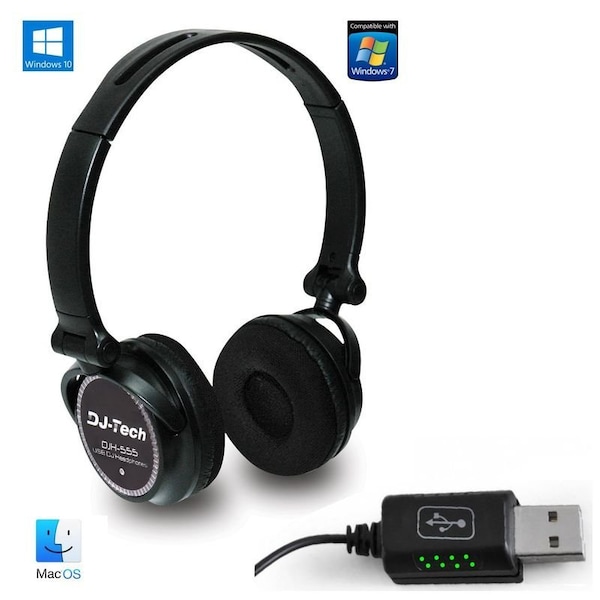
Professional DJ Headphones with PC USB Connection w/ Integrated USB Soundcard works with Windows 10
Mfr # DJH-555
Zoro # G416283353
product price: $44.99
/eaKey Features
Earpiece Design
Over-the-ear
Driver Size
1.57"
Host Interface
USB
Sound Mode
Stereo
Maximum Frequency
20 kHz
Get a 10% off coupon
Free 30-day returns
Return PolicyGet 30 days to pay with Net 30
Apply NowReal support from real people
Contact our U.S. based teamSpecifications
Product Information
MFR #
DJH-555
Zoro #
G416283353
UPC #
846903000781
Country of Origin
China
Dimensions
Driver Size
1.57"
Details
Earpiece Design
Over-the-ear
Host Interface
USB
Sound Mode
Stereo
Maximum Frequency
20 kHz
Minimum Frequency Response
20 Hz
Impedance
64 Ohm
Features
Swivel Mechanism, Foldable
Connectivity Technology
Wired
Earpiece Type
Binaural
Item
Headphone
Description
The DJH-555 professional DJ headphones are the perfect solution for anyone who has a current digital DJ setup, but needs an additional channel to preview or cue the upcoming track. The DJH-555 features a USB soundcard integrated directly into the unit. Plug in the headphones to your USB port & you have a separate channel dedicated to cueing for your digital DJ software. No drivers or installation is required.The DJH-555 headphones are designed w/the professional DJ in mind. The large, 40mm neodymium drivers reproduce clean sound for use in the booth or on stage. The headphones also feature a swiveling cup design, so DJs can wear them over the head or one-sided. USB PC Headhones works on Windows 7 to Windows 10 USB Headphones w/integrated soundcard USB connection for Mac & PC no drivers needed High-quality, high-output 40mm neodymium drivers Folding design for easy storage & transport Driver Units: Dia 40mm Cobalt magnet Impedance: 64 Ohm +/- 10% Frequency Response: 20Hz-20kHz Sensitivity: 104 dB +/- 3% at 1kHZ Max Power: 100 mwTested fully functional on macOS Mojave Ver 10.14 and Windows 10May require the designation of USB Sound device in output settings in control panel. easy to do. The unit should be recognised as a USB sound device once connected.Tested with free music software CURRENTLY available at: https://www.bandlab.com/products/cakewalkMAKE SURE YOUR DEFAULT BROWSER IS CHROME TO USE THE SOFTWARE
Ratings & Reviews
3 Reasons You Can Count On Us

Supplies for every job.
10 million items and the exact one you need.

When you need it fast, count on Zoro!
2 million products ship in 1 day.

Stretch your budget further.
Everyday low prices on the brands you love.