
IEEE Standards: I802.3ae, I802.3ak, Emissions: FCC Part 15 Class A, EN55022 Class A, CISPR 22 Class A, EN61000-3-2, Immunity: EN55024, Electrical Safety: UL 60950-1, EN60950, CE
Operating temperature
0° C to 50° C (32° F to 122° F)
Smart Link Pass-Through
When the Smart Link Pass-Through switch is enabled (default), each port will reflect the state of its port peer. In this mode, if a link loss is detected on one port, the transmit signal on the other port is disabled "passing through" the state of the failed link. This enables managed switches and other devices to report link failures to their network NMS; When the switch is in the down position, Smart Link Pass-Through is disabled. If a link loss is detected on one port, the transmit signal remains enabled on the other port.
Operating Humidity
5% to 90% non-condensing
Power / TST
On: Power indication and in normal operation; Blinking slowly: the unit is in loopback or test mode (either port); Red solid: the unit has a hardware error (upon power up); Red and blinking: the unit has a hardware error specified by combination of LK1 and LK2
Emissions
FCC Part 15 Class A, EN55022 Class A
Storage Humidity
5% to 95% non-condensing
Fiber Fault Alert
Enabled (Default - Up); With Fiber Fault Alert the state of the 10 Gigabit ethernet receiver is passed to the transmitter. This provides fault notification to the partner device attached to the 10G ethernet interface of the media converter; Disabled (Down)
Universal AC/DC adapter
100-240v AC, regulated AC/12v DC adapter included
Loopback
Capable of performing a loopback on each 10 Gigabit interface. In this mode, all frames received on the port in loopback mode will be transmitted back. This provides users with the capability of utilizing their own in-house test generators for testing the link.
EDC Mode
Electronic Dispersion Compensation (EDC) is an algorithmic method used to compensate for optical dispersion that occurs on high speed 10 Gigabit links. EDC mode settings are automatically configured by the media converter based on the information retrieved from the SFP+ or XFP module. This will enable proper operation for extended multimode 10GBase-LRM as well as active or passive copper cabling; In the default UP switch position the media converter will automatically set the 10G transceiver to match the EDC type declared by the SFP+ / XFP module to either to "linear" or "limiting"; In the event that there is a mismatch, setting the switch to the Down position on the media converter will flip the setting to that declared by the module.
Power Connector
5.5mm x 9.5mm x 2.1mm barrel socket
Electrical Safety
UL 60950-1
Immunity
EN55024
Storage temperature
minimum range of -25° C to 70° C (-13° F to 158° F)
LK1, LK2
On: Fiber link present; Blinking quickly: Fiber link present and receiving data.(including test data); Blinking slowly: Fiber link disabled because the other fiber link went down; Blinking 1 sec on 3 sec off - module shut down due to high temperature; Off: No fiber link present or no module inserted
Input Supply Voltage
9 - 30 vDC, unregulated ( 12 vDC Nominal )
Operating Altitude
Up to 3,048 meters (10,000 feet)
Description
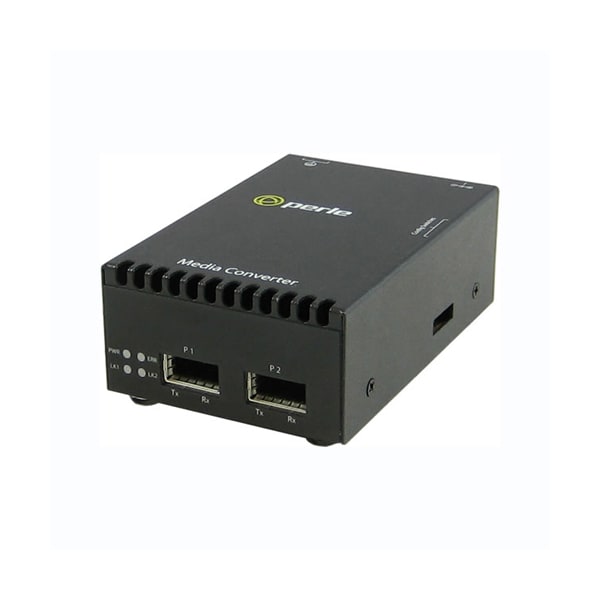
S-10G-XTX - 10 Gigabit Media Converter: with dual XFP slots (empty). AC adapter included - USA Power Cord